
Automatic camera switching for ATEM & Companion

Your Podcast Cameras on Autopilot

No camera operator. No editor required. PodSwitcher switches to the speaker live, so your camera cuts are already done when the show ends.

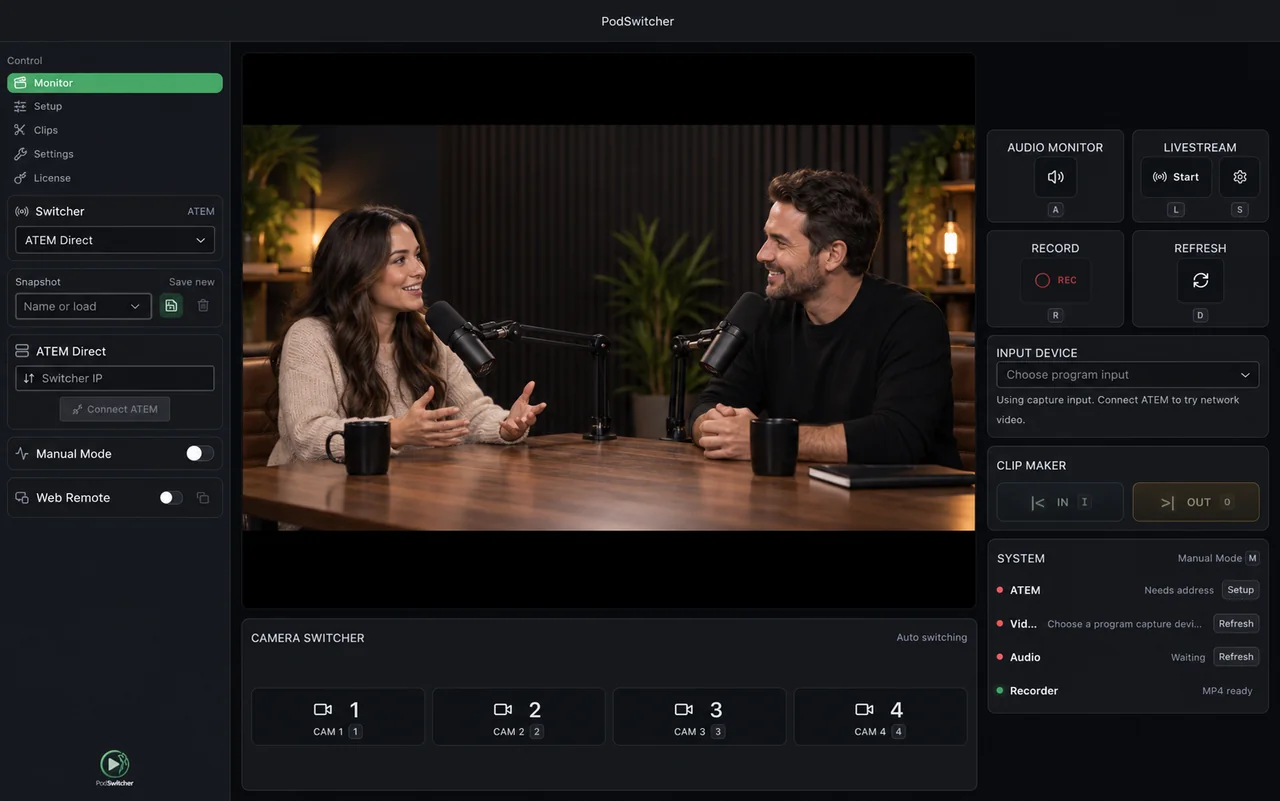
PodSwitcher Monitor showing a two-host podcast with live camera, audio, and recording controls
01ListensYour connected audio
02DetectsWho is speaking
03SwitchesThe camera live

What Is PodSwitcher

Record your show. Skip the camera editing.

PodSwitcher listens to your microphones and automatically switches your ATEM or Companion cameras as the conversation moves. Get a finished multicamera recording without someone operating the switcher or editing camera angles afterward.

Let the conversation lead

Automatic switching. A show that directs itself.

From one speaker to the next, PodSwitcher chooses the camera live and brings in the wide shot when the conversation needs it. Stay focused on your guests—the camera direction is handled.

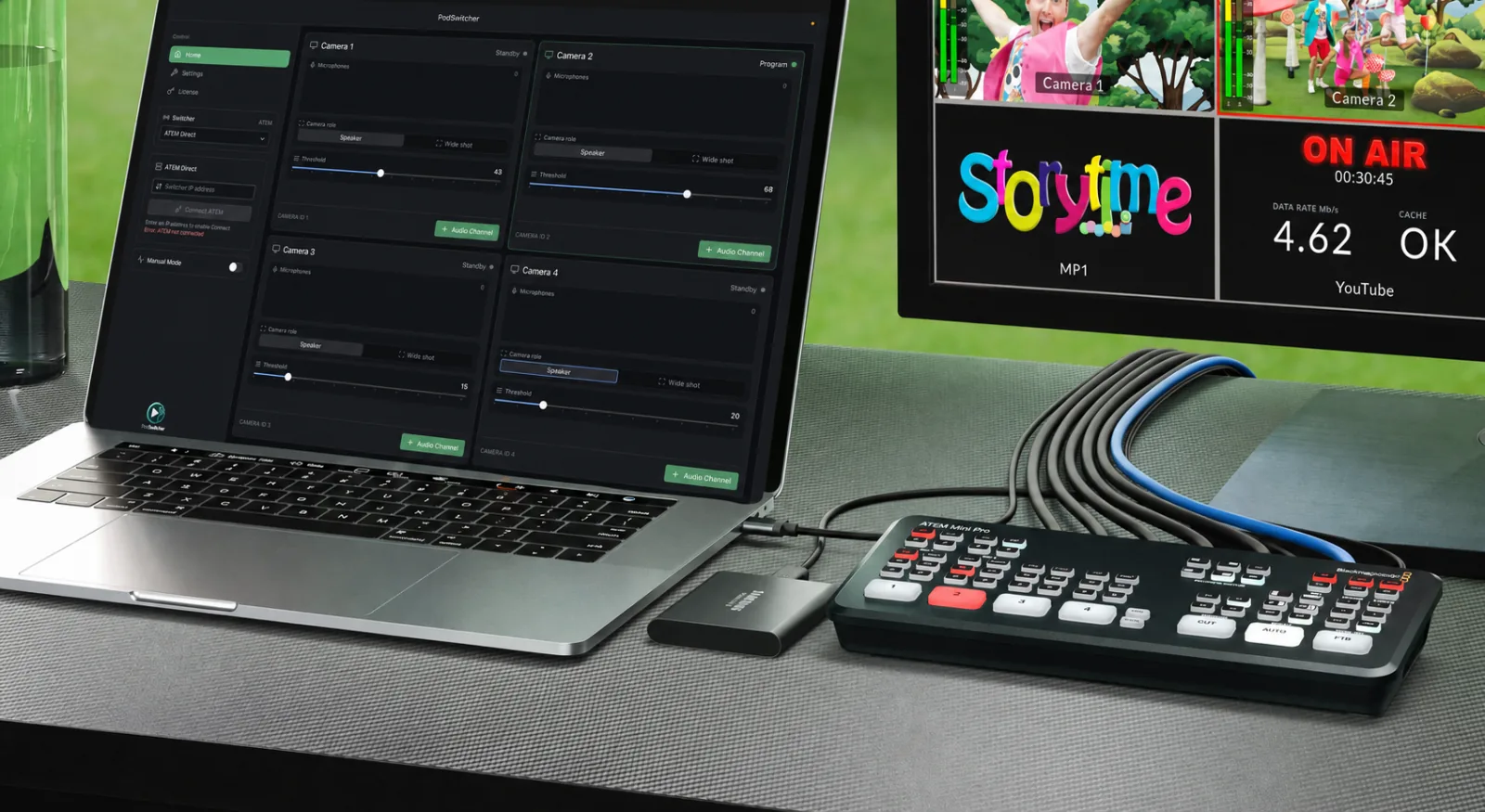
PodSwitcher and an ATEM in a podcast production setup

One show. More to share.

Find the moments. Make the clips.

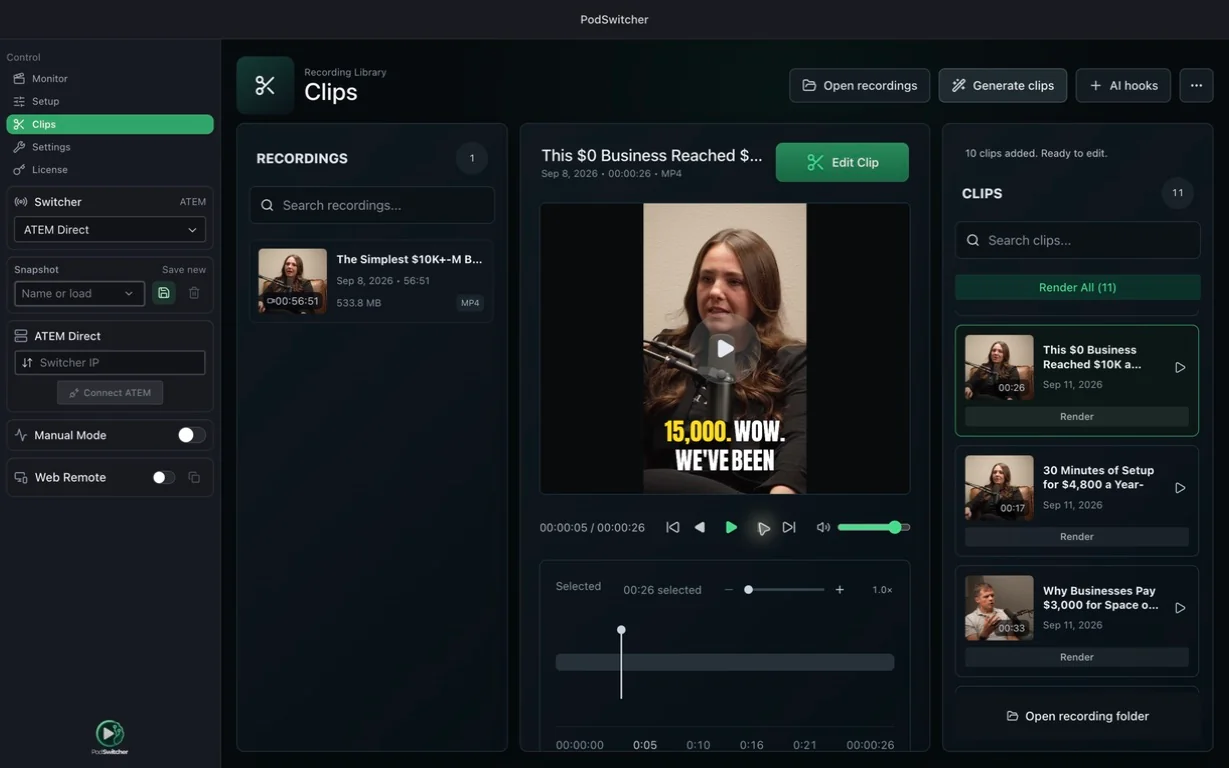
Let AI find the highlights in your recording. Pick your favorites and turn a long conversation into clips worth sharing.

AI-generated clips alongside a captioned vertical podcast preview

Your studio, within reach

Control your ATEM from your favorite device.

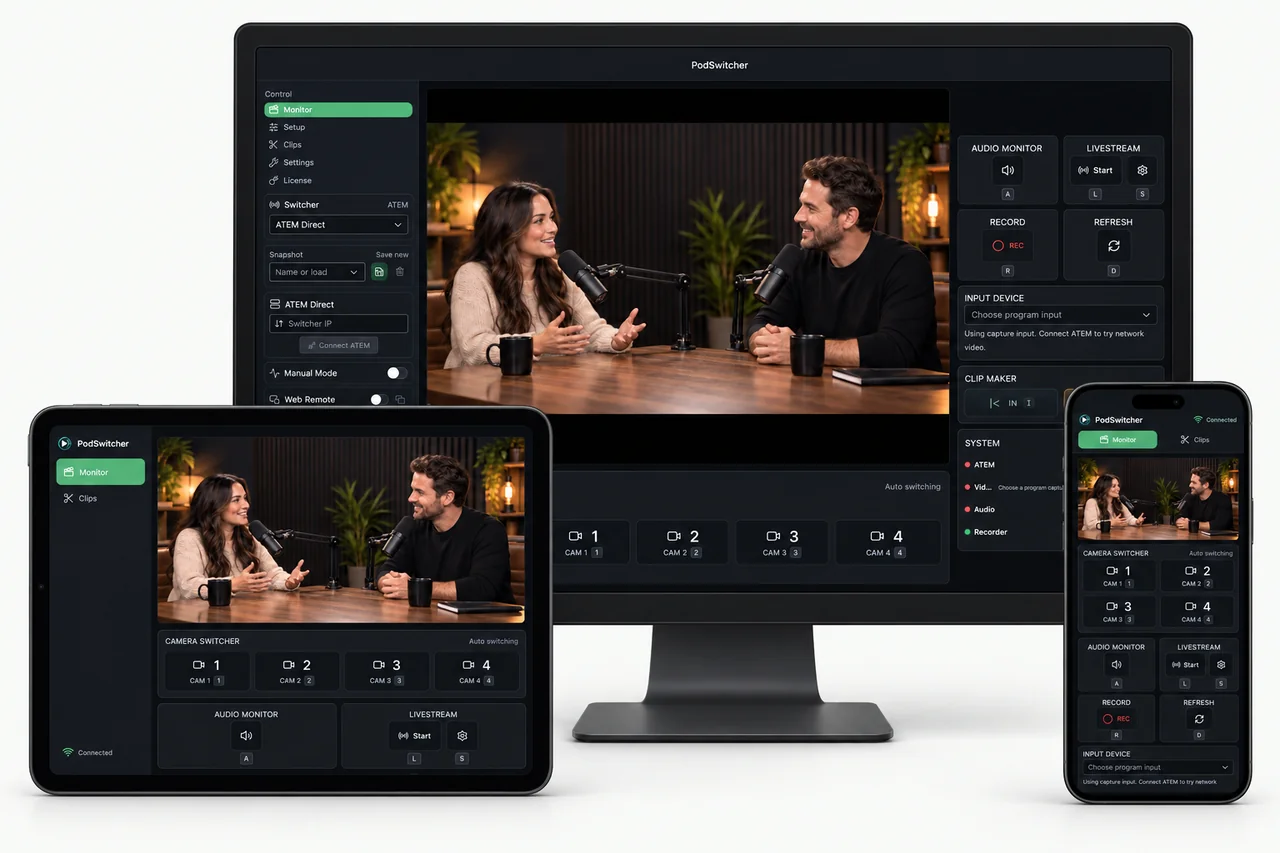
Your phone. Your tablet. Your laptop. Open a browser to switch cameras, watch the show, and control recording without being tied to the studio desk.

On the same network, with PodSwitcher running on your studio computer.

PodSwitcher on a desktop with Web Remote on a tablet and phone, all showing the same two-host podcast

Set the stage

Your studio. Your switching style.

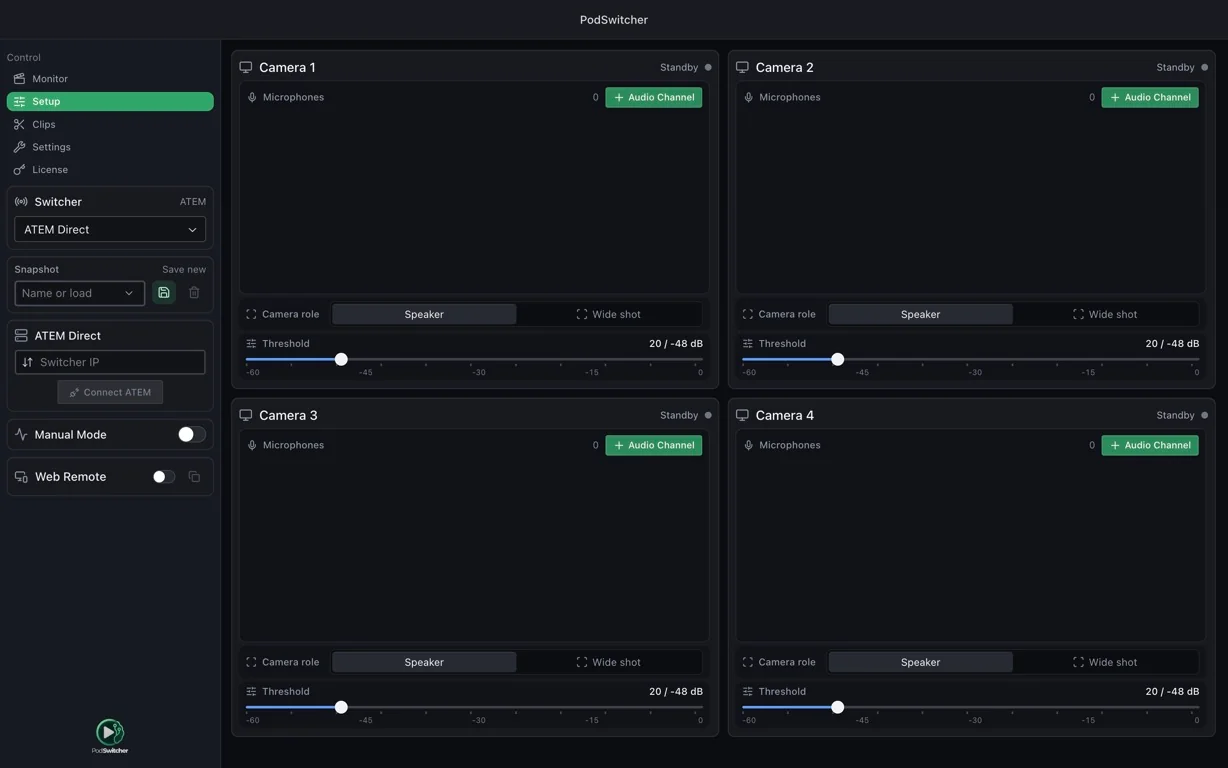
Match your microphones to your cameras and fine-tune how the show switches. Set up your studio, then let the conversation take over.

PodSwitcher camera and audio configuration screen

See what’s live.Watch the program with video and audio.

Make the next move.Switch cameras and control recording.

Catch the good moments.Mark ranges and create clips as you go.

Pricing

Choose the setup that matches your production schedule.

Studio

For creators turning a few standout moments into clips.

1 computer license
$29

USD for 1 computer / month, billed monthly

App and clip generation included.

  • 3 source hours of local clip generation per month, shared across your computers
  • Connect ChatGPT for unlimited clip generation
  • Full PodSwitcher app
  • ATEM switcher control
  • Companion integration
  • Multi-camera management
  • Local transcription, captions and clip editing
Choose Studio

How It Works

Connect. Record. Share.

  1. 01

    Connect

    Link your ATEM and microphones.

  2. 02

    Record

    Your cameras follow the conversation automatically.

  3. 03

    Share

    Turn the best moments into captioned clips.

FAQ

Quick answers before your first live show.

How do I keep PodSwitcher up to date?

PodSwitcher for macOS and Windows includes in-app updates. Open Settings → Updates to check for a new version, then choose when to download and restart to install. You can also get the latest installer from our download page.

Can I control my ATEM from my phone?

Yes. Open your private Web Remote link in a browser on your phone, tablet, or laptop on the same network. Keep PodSwitcher running on your studio computer.

How do AI clips work?

AI suggests moments from your recording’s transcript. Review the picks, adjust the framing, and add captions in the editor. Both app plans include clip generation. Connect ChatGPT to use it for selection and titles, or use the local models without an AI subscription.

Does it work with Companion?

Yes. Connect directly to your ATEM or use Bitfocus Companion for camera changes, lighting, overlays, and other production cues.

About PodSwitcher

Your conversation. Your cameras on autopilot.

Make your next multicamera podcast without a camera operator or an editor cutting between speakers. Connect your studio and let PodSwitcher direct the show.

Choose your plan